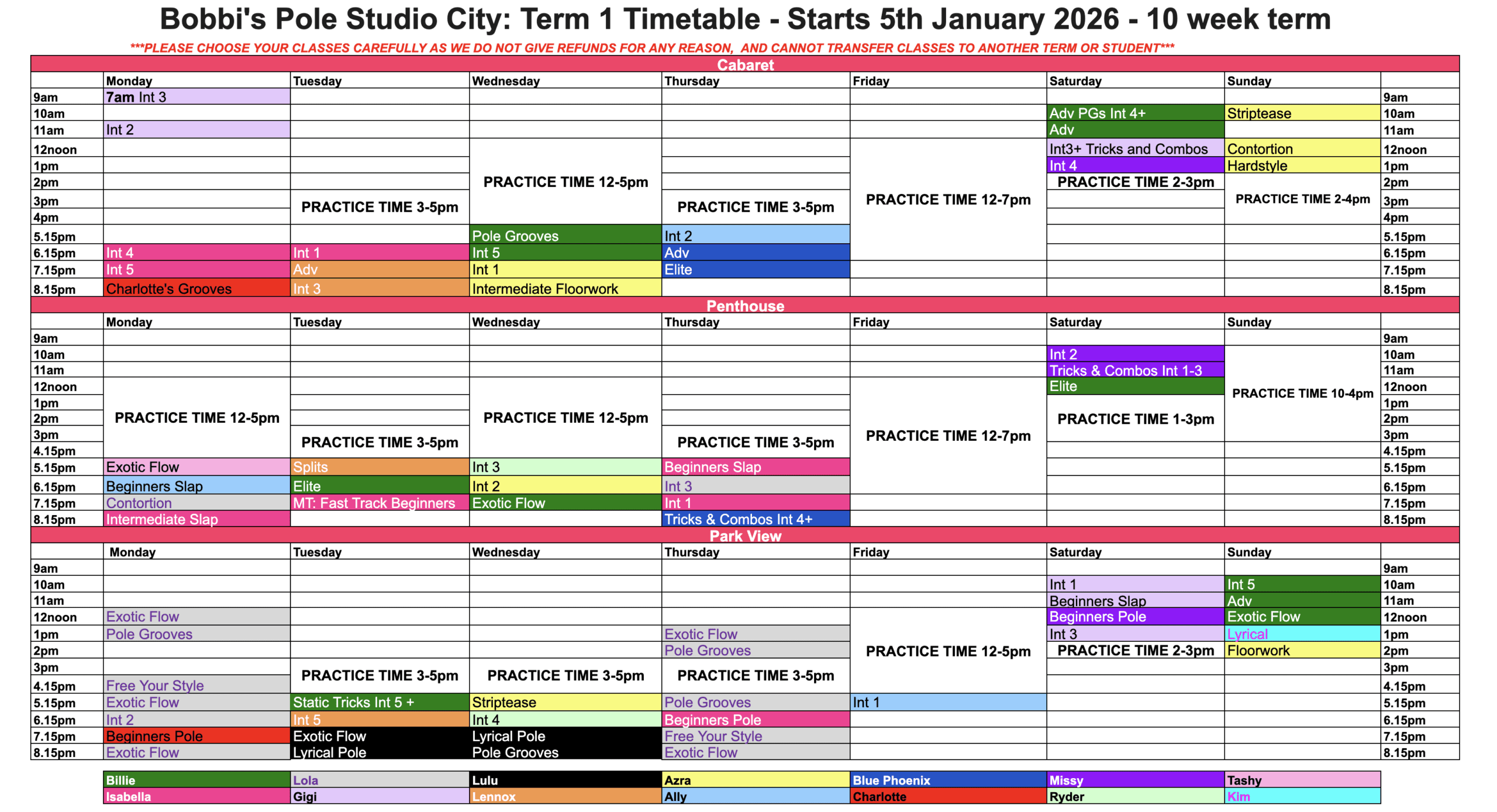
This term is in progress and unable to take new bookings for our Level Pole courses (Beginners to Elite), SLAP course, Striptease, Lyrical, Floorwork, Hardstyle & Exotic Flow.
Drop-in classes are available – Pole Grooves, Contortion, Splits and Tricks & Combos.
Call the studio to reserve your drop-in spot (02) 9264-0080 or email us sydney@bobbispolestudio.com.au
DOWNLOAD THE GROOVIO APP TO BOOK
HOW TO BOOK
Step 1: Download the Groovio mobile app or visit the Groovio website
Step 2: Create your Groovio account
Enter your email address
Enter the One Time Pin that was sent immediately to your email
Enter your first name
Enter your last name
Enter your mobile number
Optional – tick the marketing box (we would love to tell you about interesting stuff!)
Optional – enter your date of birth
Enter your emergency contact
Step 3: Connect to Bobbi’s
Enter Bobbi’s Pole Studio in the search box. Include the apostrophe!
Click on the result
Click Connect to Studio
Done!
Step 4: Book In!
Scroll the calendar forward to January 2026
Select classes from the list down the screen on your class’s day, or filter by class Category at the top, or filter using the class time at the bottom-right corner (always choose ‘Courses’)
Click the Book Now button on the class
Reviewing the class time and description (to make sure it’s the right one!)
Scroll to the bottom and click Pay Now to enter your card details and finalise your booking.
That’s it! After your initial account creation, you just enter your email, get the PIN, and off you go!